Building a Marketing Data Warehouse for Multi-Brand Enterprises in BigQuery
For large companies, the hardest data challenge isn’t just volume, it’s the tension between granting individual brand teams autonomy and establishing a single source of truth.

For large conglomerates and holding companies, the toughest data problem is rarely sheer volume. It is balancing brand-level autonomy with a credible, enterprise-wide source of truth.
When you run marketing operations across a portfolio, standardization can feel like a threat. Each Business Unit (BU) often has its own ad accounts, CRMs, and analytics tools, and those silos can be tightly defended. At the same time, headquarters still needs a unified view to manage performance, reduce duplication, and make portfolio decisions.
BigQuery is a common destination for centralizing this information, but getting from raw feeds to a dependable enterprise marketing data warehouse requires real architectural choices.
Do you impose one schema across every brand or allow federated datasets? How do you resolve identity when Brand A and Brand B share a customer but do not share a CRM ID?
This guide is for in-house data and analytics leaders building shared infrastructure for multi-brand organizations. It skips the basics and focuses on design, ingestion patterns, and governance. By the end, you will have a practical blueprint for architecting a BigQuery environment that preserves brand independence while still supporting the reporting the C-suite expects.
Why BigQuery is the Platform of Choice for Multi-Brand Marketing Analytics
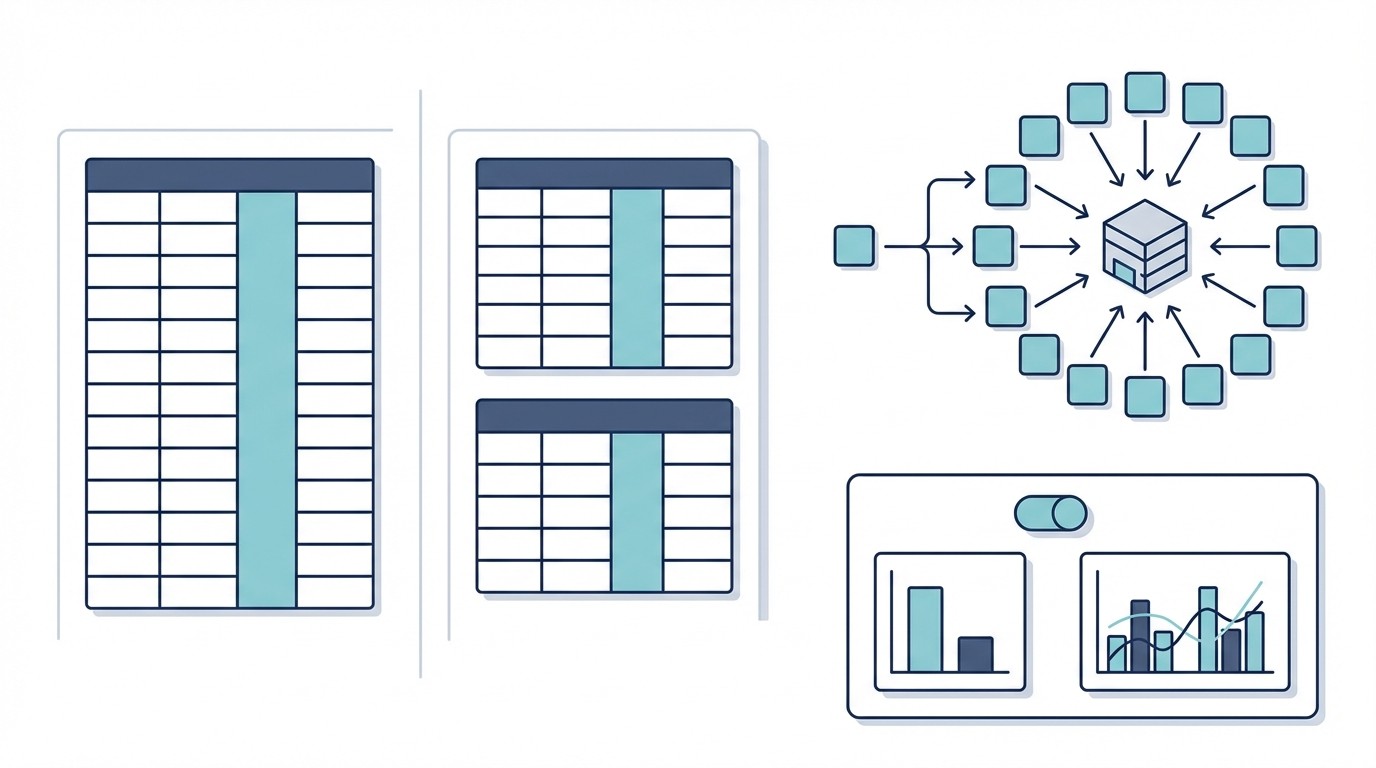
In a multi-brand organization, the requirements for a shared marketing warehouse look different than they do for a single-brand company. The challenge is variability as much as scale. One brand may invest heavily in TikTok and linear TV and push for attribution modeling. Another may rely on organic search and email and care more about cohort trends.
BigQuery tends to fit this environment for a few concrete reasons:
Serverless scalability for unpredictable loads: Query demand comes in bursts. A data science team may run heavy training jobs on Monday morning, while brand marketers refresh dashboards all day. BigQuery scales without you managing infrastructure, and one team’s workload is less likely to choke everyone else.
Cost efficiency at enterprise scale: Storage and compute are priced separately. That matters when event-level marketing data grows quickly and older logs still need to be retained. On-demand compute also helps avoid paying for idle capacity when some brands are quiet.
Native Google Marketing Platform integration: For many enterprises, a large share of marketing data comes from Google products such as Google Ads, Campaign Manager 360, DV360, and GA4. The BigQuery Data Transfer Service can replicate these sources with minimal setup.
Columnar performance for aggregations: Marketing analytics is mostly analytical, not transactional. Common questions are simple but wide, for example, total spend by campaign for the last 90 days. BigQuery’s columnar storage is well suited to those scan-and-aggregate workloads, including at portfolio scale.
Future-proofing with BigQuery ML: Once your enterprise warehouse is established, the business will ask for forecasts and predictive measures such as portfolio CLTV or churn risk. BigQuery ML lets analysts build models directly in SQL, which can reduce the need for separate tooling for early-stage modeling.
Core Architectural Decisions for Your Multi-Brand Warehouse
Before you ingest anything, lock in the structural philosophy and the governance model. In a multi-brand enterprise marketing data warehouse, small shortcuts compound fast. A hardcoded brand name in a schema might seem harmless until the next acquisition forces a redesign.
At a high level you are always managing two competing needs:
Standardization so HQ can report apples-to-apples
Autonomy so brand teams can move quickly
Your choices around modeling, ingestion, and access controls will decide whether you end up with a durable platform or a hard-to-maintain data swamp.
Data Modeling: Unified Schema vs. Federated Datasets
The biggest decision is how you organize tables. Most patterns fall into three buckets, and for many enterprises a hybrid approach works best.
1) The Unified (Centralized) Model
You enforce one master schema for all brands. For example, you might maintain a single table like all_brands.ads_performance_daily, with a brand_id column to separate records.
Pros: Strong for portfolio-level reporting. One query can roll up spend or conversions across the full enterprise. It also enforces consistency by default.
Cons: Rigid. If Brand A needs a custom metric such as
video_quartile_completionand Brand B does not, you either accept sparse columns or end up in a constant cycle of schema updates that slow teams down.
2) The Federated (Decentralized) Model
Each BU gets its own BigQuery dataset, such as brand_a_marketing and brand_b_marketing, and brands manage their own tables.
Pros: Maximum flexibility. Brand A can iterate without breaking Brand B. It often matches the way the org is structured around separate P&Ls.
Cons: Cross-brand reporting becomes fragile. You end up maintaining lots of
UNION ALLqueries, and a single column change in one dataset can break enterprise dashboards.
3) The Recommended Hybrid Approach
A scalable enterprise marketing data warehouse usually benefits from a hub-and-spoke model:
The Core (Unified): A central dataset with standardized tables for common entities such as spend, clicks, impressions, and conversions. Every brand is expected to populate these tables using a strict schema. This is what powers executive reporting.
The Spokes (Federated): Brand-level datasets for custom sources or brand-specific needs, such as a loyalty system or a niche ad platform. Teams can move fast here. Data only moves into Core when it is formally modeled and governed.
Ingestion and Transformation: Building Scalable Cross-Brand Pipelines
Ingestion is where multi-brand complexity shows up immediately. You are not connecting one Facebook Ads account. You might be connecting 50, with different credentials, currencies, and account conventions.
Use a Metadata-Driven Pattern
Avoid building one pipeline per brand, such as brand_a_facebook_pipeline and brand_b_facebook_pipeline. That approach becomes expensive to maintain. A better pattern is metadata-driven ingestion: keep a control table in BigQuery listing every active connection.
Brand_ID | Source | Account_ID | Credentials_Ref | Status |
|---|---|---|---|---|
101 | 559202 | secret_mgr_fb_101 | Active | |
102 | 992011 | secret_mgr_li_102 | Active |
Your ELT process can iterate over this table to extract and load data. Onboarding a new brand becomes adding a row, not writing new code.
Separate Staging From Reporting
Do not load raw API data straight into reporting tables. Marketing APIs change often, and schema drift will happen. Land raw data into a staging layer first.
From there, transform into the unified Core model. This is where tools like dbt (data build tool) help. You can write a single model, such as standardize_facebook_ads.sql, and apply it consistently so metrics like ROAS are computed the same way across brands.
Reduce Connector Maintenance Overhead
Connector maintenance can consume a surprising amount of engineering time, especially when you support many brands across many sources.
Tools like Weavely automate extraction from fragmented marketing sources into BigQuery. By managing API changes, credentials, and schema drift, Weavely helps keep pipelines stable so your team can focus on modeling, governance, and analysis instead of fixing scripts.
Governance and Access Control: Managing Permissions Across Teams
In a multi-brand enterprise marketing data warehouse, security is not only about external threats. It is also about containment between brands. Some holding companies have competitive brands under the same umbrella, and many have legal or contractual requirements to keep customer data separated.
Leverage IAM and Google Groups
Assign access through Google Groups rather than individual users, mapped to your org structure:
brand-a-analysts@enterprise.combrand-b-analysts@enterprise.comhq-data-team@enterprise.com
This keeps access management scalable as teams change.
Choose Dataset-Level Isolation or Row-Level Security
If you use the federated model: grant
roles/bigquery.dataViewerto the appropriate group on that brand’s dataset. Brand A cannot see Brand B’s dataset.If you use the unified model: implement Row-Level Security (RLS) so shared tables can still enforce strict data separation.
Example RLS policy:
With this policy, when Brand A runs SELECT * FROM unified_performance, BigQuery automatically returns only rows where brand_id = 'brand_a'. HQ can retain full portfolio visibility.
A Phased Rollout Plan for Enterprise Implementation
Migrating every brand at once is a common failure mode. Legacy systems, inconsistent tagging, and organizational resistance are real constraints, so a phased rollout is usually the safest path.
Phase 1: The Pilot (Months 1–3)
Pick one brand as the pilot. Look for a marketing lead who will partner closely and a channel mix that is representative but manageable.
Goal: Build the full path end to end, from a source such as Google Ads into BigQuery and into a BI tool such as Looker or Power BI.
Deliverable: A working dashboard that replaces a manual spreadsheet workflow and demonstrates the value of automation.
Phase 2: The Core Model & Expansion (Months 4–9)
Use the pilot to design the strict Core schema for key metrics. Refactor ingestion to the metadata-driven approach. Then onboard 2 to 3 additional brands that add useful complexity, for example, one B2B brand and one e-commerce brand.
Goal: Stress-test the model across different business models and data quirks.
Deliverable: An HQ report that aggregates spend and performance across the brands live in the platform.
Phase 3: Scale and Standardize (Months 10–18)
Once the architecture holds up, shift to broader adoption. Create an onboarding kit for remaining brands with tagging expectations, access requests, and operating processes.
Goal: Migrate the remaining business units.
Deliverable: Retire legacy reporting tools and reduce fragmented silos.
Phase 4: Optimization and Enrichment (Ongoing)
Move into performance and cost optimization such as partitioning, clustering, and workload management, plus enrichment. Bring in non-marketing sources like finance (ERP) and inventory so you can calculate true profitability.
This roadmap moves faster when you are not building and maintaining connectors yourself. If you want to accelerate from Phase 1 toward Phase 3, Weavely can take on connector maintenance so your team can stay focused on architecture and analysis.
Conclusion
Building a successful enterprise marketing data warehouse takes more than a place to store data. You need an architecture that matches how the organization operates. A hybrid hub-and-spoke model, paired with BigQuery row-level security where needed, can give HQ reliable rollups without slowing down brand teams.
Start with one pilot brand, validate your schema, ingestion pattern, and governance, then expand with confidence.
If you want help designing the Core schema and standing up reliable multi-brand ingestion into BigQuery, talk to Weavely to see how automated connectors can reduce engineering overhead and speed up rollout.
Ready to scale without reporting stress?
Join agencies who have eliminated manual reporting and built a data infrastructure they can actually trust

Own your marketing data. Scale without limits.